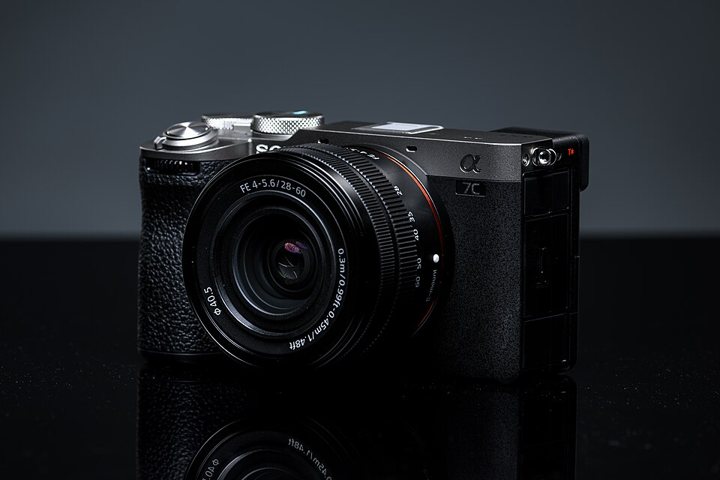
The S’Cool Resource Guide

Make something great with what you have.

Then upgrade when your gear — not your skill — is the thing holding you back.

A real camera is worth it. It just does not have to be today.

Where do I start?

Start here

Three steps. In this order.

This is the whole philosophy of the guide. Everything below is just detail.

1

Shoot with what is already in the house

A phone, a tablet, or a camera someone in the family stopped using. Start today, while you decide on a camera.

PhoneTabletOld camera
2

Learn to see

Where to stand. Where the light comes from. What the picture is actually about. This is the part that makes photos good, and no camera does it for you.

FramingLightStory
3

Upgrade when your gear starts saying no

When you can picture the shot and your gear cannot make it, that is the moment a real camera pays for itself. We will tell you which one.

Then buyBuy once
For parents A real camera makes this class more fun, and we do recommend one. If it has to wait a term or a year, that is completely fine — a phone carries a student a long way, and nobody in our classes is behind for using one. When you are ready to buy, the camera section below is the short, honest list.

Jump to what you came for

Where are you right now?

Tap one. We will take you to the part of the guide that answers it.

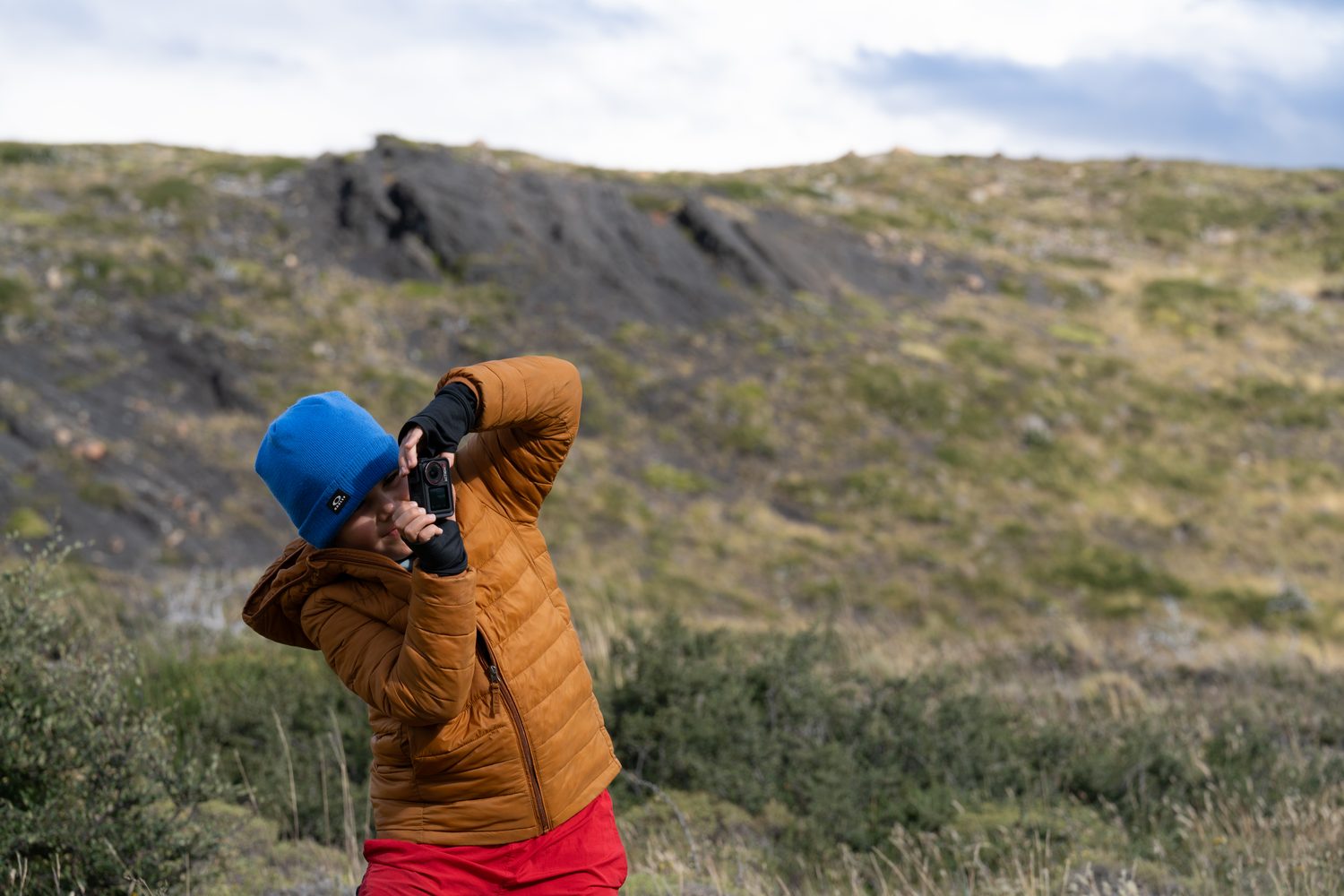
A young creator raising a small camera to their eye on a windswept hillside, standing off to one side of the frame.

Step one, right now

Your first camera is probably already in your pocket.

Yes. Your phone counts. The three things below change your photos more than any purchase will.

Move your feet, not the zoom

Pinch-zoom on a phone throws away detail. Walking three steps closer does not. Closer is almost always better.

Put the light in front of your subject

Face a window, not away from it. Same phone, same person, completely different photo.

Tap to focus, then slide to darken

Tap your subject. Then drag down slightly. Slightly darker photos look far more like the ones you admire.

Before / after · photo coming light behind light in front
Same phone. Same person. The only change is which way they are facing. This is the single fastest improvement available to a phone photographer.
For parents Nothing on this screen costs money. A student can do every first-term assignment on a phone and be fully part of the class. When they start asking for things a phone cannot do, the next section is where to go.

Ready for a real camera?

Three picks. Not thirty.

We have used or taught on every camera here. Choose where you are, and you are down to three honest choices — with the reason we would pick each one.

Ages roughly 10 and up, ready to control how the picture looks.

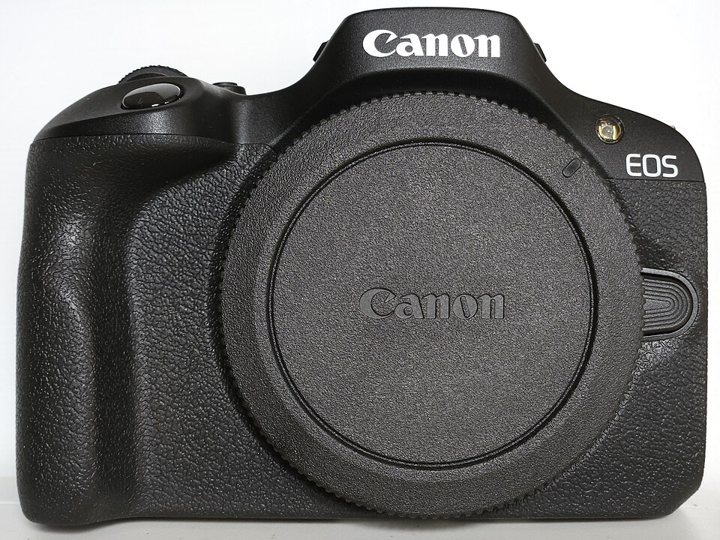
Best first buy Canon EOS R100 camera with its 18–45mm kit lens attached.
Canon

Canon EOS R100 + 18–45mm

The cheapest honest way into a real camera — and the lens it comes with is genuinely good enough for a whole year.

LearningEverydayTravel
  • Light enough that it actually leaves the house.
  • Simple menus. A 10-year-old can find things.
  • Current lens mount, so lenses bought now still fit later.

Good to know: the screen does not flip out, so filming yourself is awkward.

For parentsThis is the one we would buy first for most families. It is the least money that still buys a camera your child will not outgrow in a year.
Want the nerdy details?

24MP APS-C sensor (APS-C = a sensor smaller than a full 35mm frame, which is why the camera and lenses stay small and affordable). Dual Pixel autofocus. 4K video, cropped. Canon RF mount.

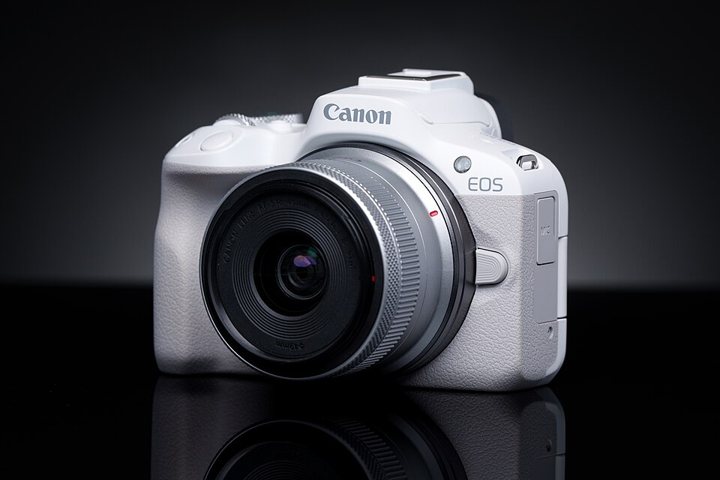
Our pick Canon EOS R50 camera with its 18–45mm kit lens attached.
Canon

Canon EOS R50 + 18–45mm

The R100’s smarter sibling. It focuses faster, and the screen flips out — which matters the day they start filming themselves.

VideoPortraitsCreating online
  • Better autofocus — it finds eyes and holds them.
  • Flip-out screen for talking to camera.
  • Same lenses as the R100, so nothing is wasted if you trade up.

Good to know: battery life is short. A spare battery is the smartest small purchase here.

For parentsWorth the extra money only if your child is already making videos. If they mostly take photos, the R100 above does the same job for less.
$500–$1,000 See current price ↗
Want the nerdy details?

24MP APS-C, uncropped 4K/30 from 6K, subject tracking for people and animals, vari-angle touchscreen, Canon RF mount.

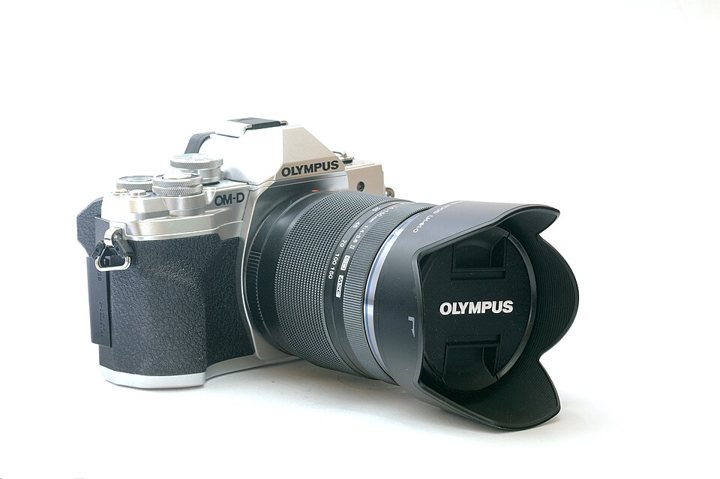
Best value OM System E-M10 Mark IV camera with a silver top plate and dials.
OM System

OM System E-M10 Mark IV

Small, steady and lovely to hold. It has stabilisation built into the body at this price, which is rare — and it forgives shaky hands.

TravelEverydayLearning
  • The camera cancels out small hand movements for you.
  • Light enough for a smaller creator to hold all afternoon.
  • Dials on top, so settings are something you see and turn.

Good to know: the sensor is smaller than the others here, so very dim rooms get grainy sooner.

For parentsThe value pick, and the kindest one for younger or smaller hands. If your child mostly shoots in daylight, they will never notice the smaller sensor.
$500–$1,000 See current price ↗
Want the nerdy details?

20MP Micro Four Thirds sensor, 5-axis in-body stabilisation (stabilisation = the camera smoothing out small hand movements), 4K/30 video, flip-down touchscreen.

We left plenty of good cameras off this list on purpose. Three real choices beat thirty tabs open at midnight. If the one you are looking at is not here, ask us and we will tell you honestly what we think of it.

A guanaco standing sharply in focus while the grassland behind it melts into soft, creamy blur.

Lenses

Want that blurry background look?

That soft background is not an editing app. It is a lens, standing at the right distance — and it is the cheapest upgrade in photography.

Two lenses cover almost everything a student wants to do. Buy the first one. Buy the second only if they tell you why they need it.

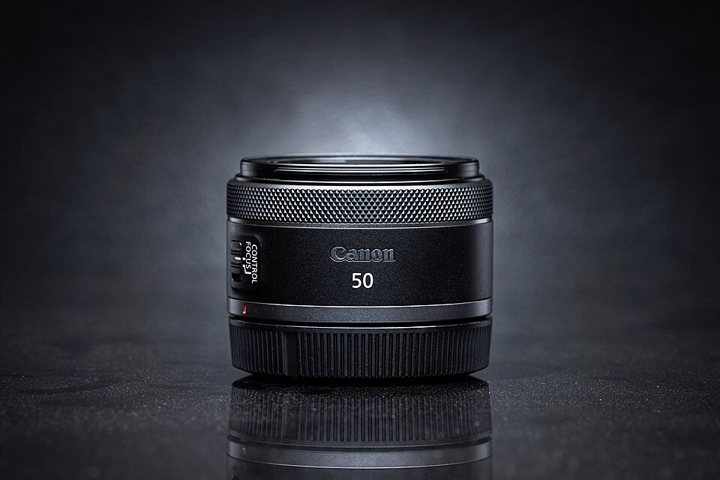
Best first buy Canon RF 50mm f/1.8 STM lens, a small black prime lens.
Canon · fits Canon RF cameras

Canon RF 50mm f/1.8 STM

This is the lens that makes a student’s photos suddenly look like the ones they admire. Sharp person, soft background, and it works indoors when the kit lens gives up.

PortraitsIndoorsLow light
  • Opens wide, so it lets in far more light than the kit lens.
  • Cannot zoom — so they learn to move, and the photos get better.
  • Tiny. It does not make the camera annoying to carry.

Good to know: for a group photo you will need to back up a long way. That is normal.

For parentsThe best money-to-improvement ratio on this entire page — and not on day one. Buy it when your child asks for blurry backgrounds by name. Sony, Fujifilm and OM System families: ask us and we will name the equivalent for your mount.
Want the nerdy details?

50mm f/1.8. Aperture (f-number) = how wide the lens opens. Smaller number, wider opening, more light and more background blur. On an APS-C body it frames like about 80mm, which is a flattering portrait length.

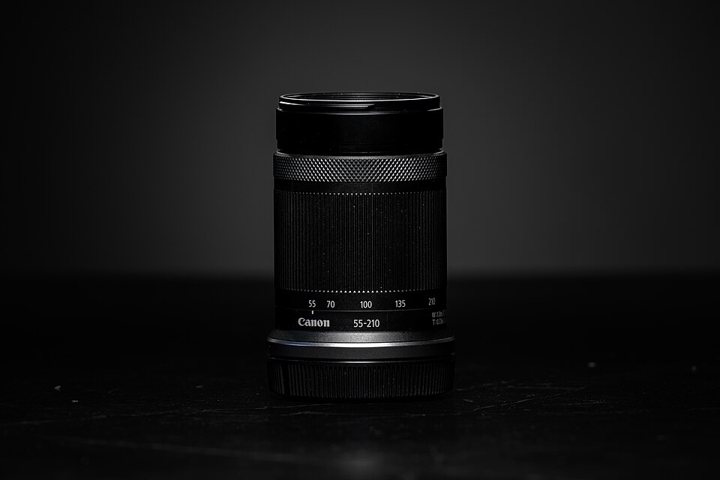
Only if you need it Canon RF-S 55–210mm telephoto zoom lens.
Canon · fits Canon RF cameras

Canon RF-S 55–210mm

Reach. For the far side of a field, a stage, or an animal that will not let you get close.

SportsWildlifeStage
  • Brings distant subjects close without cropping the photo away.
  • Stabilised, which matters a lot when zoomed in.
  • Long lenses also blur backgrounds — a different route to the same look.

Good to know: it struggles indoors and in the evening. This is a daylight lens.

For parentsSkip this unless your child is shooting sports or wildlife specifically. For everything else the kit lens and the 50mm cover the year.
Want the nerdy details?

55–210mm f/5–7.1 with optical stabilisation, for APS-C Canon RF bodies. Frames like roughly 88–336mm in full-frame terms.

What actually changes when the number changes

Two real photographs, taken by us. Same idea, two different focal lengths.

Wide view of horses grazing across a golden valley with mountains behind them at sunrise.
24mm — see more of the world

A wide lens takes in the whole place. Use it when the story is where you are.

Close portrait of a single guanaco, sharp against a soft blurred field.
85mm — focus on one

A long lens picks one thing out and softens everything else. Use it when the story is who.

24mm 85mm
Same spot, same camera. The wide lens sees the gold triangle. The long lens only sees the coral sliver — which is why it feels like the subject jumps forward.
f/1.8 — wide open thin sharp zone · soft background f/11 — nearly closed deep sharp zone · everything crisp
The wider the lens opens, the thinner the sharp slice of the world becomes — and everything outside that slice melts. That melt is the look everyone is chasing.

Browse everything

The full shelf, if you want it.

The three picks above are what we would buy. This is everything else we know well — filter it, sort it by weight, and open the nerdy details on anything that interests you.

Brand
Level
Budget
Sort

Weights are manufacturer-published figures with the body and its battery, and every rating names where it came from. Where a figure is still being checked, we say so rather than guess. Retail prices are shown as bands because they move weekly — the links go to today's number. Amazon links are affiliate links; B&H and manufacturer links are not.

Sound

Want people to actually hear you?

People forgive an average picture. They stop watching bad sound in about four seconds. This makes a BIG difference and it costs very little.

1 · Get the mic closer

Sound gets dramatically quieter the further away it starts. A microphone near your collar beats an expensive one across the room, every time.

2 · Kill the room

Echo comes from bare walls and floors. Film in a room with a rug, a bed, curtains, or clothes in it, and the echo mostly disappears.

3 · Then buy a wireless mic

A small clip-on transmitter that sends sound to your camera or phone. This is the upgrade we would buy before any second lens.

Mic-in-place photo coming mic at the collar loud, clear thin, echoey same mic, across the room
Distance is the whole game. Halve the distance and you roughly quadruple how much of the voice the microphone actually gets.
For parents Only buy a microphone if your child is making videos with talking in them. If they are, a simple two-person wireless set is a better first purchase than a second lens — and it is eligible under the Step Up photography and videography category.

Steady video

Why does my video look shaky?

Because your arms are a bad tripod. The three fixes below, in order of how little they cost.

Free — brace yourself

Elbows tucked into your ribs. Lean on a wall, a railing, a tree. Breathe out as you start recording. This alone removes most of the shake.

Cheap — a bendable tripod

A small grip that wraps around a railing or a branch. It costs less than a pizza and it forces you to slow down and compose.

Later — a stabilised camera

Cameras with in-body stabilisation smooth out small movements for you. Nice to have, not a must, and never a substitute for bracing.

Shake comparison clip coming arms out, unsupported elbows in, braced on a wall
Same camera, same person, same shot. The only difference is what the arms were resting on.
For parents You do not need a gimbal. No gimbal appears anywhere in the first year of our curriculum. A bendable tripod under $25 solves nearly all of this, and a tripod is eligible under the Step Up photography category.

This vs this

Phone, or first camera?

The honest version. Swipe or scroll — both columns are true at the same time.

Option A

The phone you already own

  • It is always with you, which is why most great photos get taken on one.
  • Brilliant in good light. It struggles as soon as the light goes.
  • The blurry background is simulated by software — it guesses, and sometimes it guesses wrong.
  • You cannot change the lens, so you cannot change how the picture feels.
  • Editing is instant. Sharing is instant.

Choose this if you are still learning where to stand, where the light is, and what the picture is about. That work is identical on any device — and it is most of photography.

Option B

A real first camera

  • A much bigger sensor, so evening and indoor photos stay clean instead of going grainy.
  • Real background blur, created by physics rather than guessed by software.
  • Change the lens and you change what the photograph feels like.
  • Controls you can reach without a menu, so learning gets faster.
  • It only works if it leaves the house. A camera in a drawer beats nothing, barely.

Choose this if your phone is starting to limit the shots you can already picture in your head — dim rooms, fast movement, real portraits.

Our verdict: a real camera is worth owning, and we recommend one. But buy it the moment your child can tell you why they want it — not before. That sentence out of their mouth is worth more than any review, and it usually arrives within a term or two of shooting seriously on a phone.

30-second lessons

The small things that change everything.

Open one. Each takes about half a minute and none of them need you to buy anything first.

What does a lens actually do?

Light bounces off everything around you in every direction. That is chaos — point a bare sensor at the world and you get a grey smear. A lens is a piece of shaped glass that takes that chaos and bends it back into order, so every point out there lands on exactly one point on the sensor. That is focus.

sensor lens

Try itFocus on something close, then something far, and watch the other one go soft. You are watching the lens move to bring a different slice of the world into order.

Why does the background get blurry?

Only one distance from the camera can be perfectly sharp at a time. Everything nearer or further is a little out of order, and the further it is from that distance, the softer it goes. Three things make that soft zone bigger: opening the lens wider, standing closer to your subject, and putting more space between your subject and whatever is behind them.

Free versionYou do not need a new lens to try this. Move your subject six steps away from the wall behind them and take the same photo again. The background softens immediately.

What is ISO?

ISO is how hard the camera tries to hear a faint signal. Turn it up and dark scenes get brighter — but like turning up a quiet radio, you also turn up the hiss. In photos that hiss looks like grain or speckles.

100 · clean 800 3200 12800 · grain

Rule of thumbUse the lowest ISO that still gives you a sharp photo. A slightly grainy sharp photo always beats a clean blurry one.

Do I need 4K?

4K means roughly four times as many pixels as HD. It is genuinely useful for one thing: you can crop in on a shot afterwards and still have a clean HD video. That is it. It will not make a shaky, badly lit clip look good.

Honest answerNo, you do not need it to start — and 4K files fill up storage fast. Shoot HD, get the light and the sound right, and your videos will look better than most 4K ones.

Why does my audio sound bad?

Two reasons, almost always. The microphone is too far from the mouth, and the room is bouncing sound off hard walls back into it. The microphone built into a camera is usually a long arm’s length from the person talking, which is already too far.

Test it nowRecord ten seconds in a tiled bathroom, then ten seconds in a bedroom with a bed and curtains. Same phone, same voice. The second one sounds like it cost money.

Why does my video look shaky?

Because your hands make tiny movements constantly, and video shows every one of them. Zooming in makes it worse — it magnifies the shake along with the subject.

Fix orderBrace your elbows against your body. Lean on something solid. Shoot wider instead of zooming. Only then consider spending money. See steady video above.

For Florida families using a Step Up scholarship

What your scholarship actually covers.

This part is for the parent. Every rule below is quoted from Step Up’s own published guides, with links, so you can check us.

Read this before you spend a scholarship dollar

A camera bought today locks out the next one for two years.

Step Up limits elective course equipment to one purchase every two years. That limit follows your child even if they switch scholarship programs, and it cannot be worked around by buying two units in one transaction.

“Frequency of purchase: Two years for elective equipment; however, equipment may be eligible for replacement sooner with pre-authorization approval.” Step Up for Students, 2025–26 FTC-PEP Purchasing Guide · read the guide

So a rushed $300 camera can block the $900 one your child would have grown into. If you are not yet sure the interest will stick — and at nine or ten years old, who is — let them shoot the phone for a term. The clock does not start until you buy.

Cameras are eligible. It says so in their own guide.

This is not our interpretation. Photography equipment is named outright in the purchasing guides for both the PEP and FES-UA programs:

“Elective Course Equipment: … Photography/Videography: cameras, tripods, lightning kits, microphones” 2025–26 FTC-PEP Purchasing Guide · the FES-UA guide carries the same line

Two more things in that same document are worth knowing, because most families miss them:

Batteries count as supplies

Camera batteries are listed separately as an eligible Photography/Videography supply. If there is a hand-me-down camera sitting in a drawer because the charger went missing, that is a fixable, fundable problem — not a dead camera.

The class itself is eligible

“Photography and videography classes and courses” are their own eligible category. You can fund instruction now and gear later, which is almost always the better order.

What it will not cover

Prohibited under PEP, so do not build a plan around them: laptops, Chromebooks and tablets, phones, monitors, keyboards and mice, printers, speakers and headsets, gaming consoles, e-readers, and external drives including hard drives and flash drives. A phone cannot be bought as a camera.

Memory cards are a genuine grey area. They are not listed as eligible anywhere, and the prohibited list does mention flash drives. Ask Step Up first, or buy the card bundled with the camera. We would rather flag this than guess for you.

How the money moves

One caution specific to our youngest students: Step Up can deny an item when the child does not meet the manufacturer’s recommended minimum age. Worth checking for the youngest applicants.

What is in the catalog, and what it costs

Every price below is a scholarship catalog price, checked in MyScholarShop inside a real parent portal on 17 September 2026. These are Direct Pay prices — buy inside the Marketplace and nothing comes out of your pocket. Best Buy is the supplier behind almost all of the camera gear. Catalog prices and stock move, so confirm in your own portal.

Canon EOS R100 with RF-S 18–45mm The cheapest current-mount mirrorless in the whole catalog, and what we would pick for most families here. Current lens mount, so it will not strand your child in two years.
$549.99Amazon ↗
Canon EOS R100 Twin Kit — two lenses Adds a telephoto zoom. Worth it only if your child is already shooting sports or wildlife.
$699.99Amazon ↗
Sony Alpha ZV-E10 with kit lens Sony’s E mount at the lowest price in the catalog. Strong for video, with a flip-out screen.
$799.99Amazon ↗
Sony Alpha 6100 with 16–50mm kit lens The most common camera in our class right now. That matters more than specs — when a student raises a hand about a menu, several classmates already know the answer.
$899.99Amazon ↗
Canon EOS Rebel T7 with kit lens Cheap, and we would still steer you past it. An older DSLR on a mount Canon is winding down — a dead end in exactly the two years your allowance is locked.
$499.99Amazon ↗
Sony Alpha 6400 with kit lens Better autofocus and a flip-up screen over the a6100. One of our students already shoots this. Listed at two prices depending on the kit.
$899.99
or $999.99Amazon ↗
Sony Alpha ZV-E10 II The pick for a teenager who wants photography and video. Same Sony E mount, so lenses carry over from the a6100.
$1,099.99Amazon ↗
Nikon Z50 II Two Lens Kit Listed in the catalog with two lenses. We do not recommend it either way — it is here so the catalog list is complete.
$1,399.95Amazon ↗
Canon RF 50mm f/1.8 STM The best value in the entire catalog. This is the lens that makes a teenager’s photos suddenly look like the ones they admire — sharp subject, soft background, works indoors. Canon bodies only.
$199.99Amazon ↗
NIKKOR Z 40mm f/2 Listed for completeness. A small, inexpensive prime lens, for that mount only.
$229.99Amazon ↗
Sony FE 85mm f/1.8 Sony’s cheapest fast prime here. Note it is a full-frame lens — it works on the a6100 and a6400 but behaves like a tight portrait lens.
$649.99Amazon ↗
Sunpak Gripper Bendable Tripod If you buy one small thing, buy this. It wraps around railings and branches, costs less than a pizza, and it does not touch the two-year camera allowance.
Sunpak TravelSmart 50 Tripod A normal standing tripod, if you would rather have legs than a grip.
Manfrotto 290 Tripod with ball head A real tripod that will outlast every camera your child owns.
$129.99Amazon ↗
Saramonic Air-SE Wireless Mic — 2 person Only if they are making videos with talking in them. Bad sound loses a viewer faster than bad footage does.

Four things are not in MyScholarShop

We searched the live catalog for each of these. If you want them, they go through the reimbursement route rather than Direct Pay — or they may not be eligible at all.

Memory cards — none, at all

We searched. The catalog sells no SD cards. Combined with the prohibition on flash drives, we would not assume a card is reimbursable either. Ask Step Up first, or buy a camera bundle that includes one.

GoPro — not listed

No action cameras in the catalog. If your child wants one, that is a reimbursement question, not a Marketplace one.

Spare batteries and chargers

Not in the catalog, even though batteries are named as an eligible supply in the purchasing guide. Reimbursement is the route — and that is the answer for every hand-me-down camera with a missing charger.

Several popular kits, including the Sony a6700

Plenty of well-known bodies and kits simply are not stocked. If the one you want is missing, it is a reimbursement question, not a Marketplace one.

One more thing worth knowing: the Marketplace tab only appears in your parent portal once your student’s funds have been deposited for the award year. If you cannot see it, that is usually why.
An old film camera resting on a map beside three small printed photographs.

Before you buy anything

That old camera in the drawer is probably not broken.

One of our students has her mother’s old Sony and cannot use it, because the battery and charger are gone. Another told us there is a professional camera at home that nobody knows how to switch on. Both of those are the cheapest wins available to you.

  • Find the battery model number — printed on the battery itself, or inside the battery door. Something like NP-FW50 or NP-FZ100. Order by that number, not by the camera name.
  • Buy the battery-and-charger set, not the manufacturer’s charger — a third-party set with two batteries is routinely cheaper than the brand charger on its own, and batteries are Step Up eligible.
  • Bring it to class — genuinely. Turn the camera on, join, and we will walk your child through the menus live. That is free, and it is the fastest path to a working camera.

And the things we would not buy first

Said plainly, because this is where families lose the most money.

A second lens

The kit lens covers a whole term of assignments. Buy the prime when your child tells you why they want one.

A camera bag

A padded backpack you already own is the same thing with a different label on it.

Filters, gimbals, studio lights

None of this appears in the first year of the curriculum. Window light is in the first class.

A laptop for editing

Explicitly prohibited under PEP, along with tablets, monitors, printers and external drives. Editing on a phone is genuinely fine to start.

A cheap discontinued DSLR

A dead lens mount is a dead end. In two years your child will want a lens that is no longer made.

Anything from a stranger online

No warranty, no return window, and no receipt with your child’s name — which means no reimbursement. Use MPB, KEH, B&H Used or Best Buy Open Box instead.

The rest of the Resource Guide

Gear is one shelf.

We do not teach students to collect gear. We teach them to create. These areas are being built next, from the questions students ask us live in class.

A young creator at a desk sketching logo ideas beside a screen full of brand layouts.
  • Editing — what to use on a phone, and what is genuinely free.
  • Apps and creative tools — the short list we actually open.
  • Project ideas — things to make this week with what you own.
  • Books and inspiration — photographers worth studying at 12.
  • Parent resources — printable checklists and the scholarship paperwork.

Want one of these sooner than the others? Tell us which, and it moves up the list.

Ale and Italo together outdoors with a camera, mountains and a pale lake behind them.

Still not sure?

Ask us. We answer every one.

Tell us your child’s age, what is already in the house, and your budget. We will tell you honestly what we would do — including when the right move is to wait a term and spend the money later.

Ale & Italo teach the live S’Cool classes together — Photography & Video on Thursdays at 12:00 PM ET, and Business Builder (S’Cool Studio) on Mondays at 3:00 PM ET. One hour, live, ages 9–16.

Email Ale & Italo